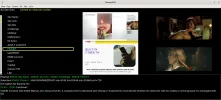
neumoDVB

What is the reason that archlinux refuses to play this?
I don't know, deeptho. It's what I've been trying to find out for a long time now.

Another thing you can try is install vlgrun and then run neumodvb as vglrun neumodvb.py.
What is vlgrun? I can't find any online packages or directories/files of that name in CachyOS. Maybe only in Fedora?

And what video card do you have?
NVIDIA GeForce GTX970. I tried vo=gpu or gpu-next in mpv.config, but for some reason neumodvb crashes occasionally loading the mpv videos in mosaic. So I'm staying with vo=x11 until a solution is found for the neumodvb Arch Linux blank video problem.

It's good at least to have the channel videos available now in place of a blank window. It just means having to manipulate the channels in a space normally occupied by your live video screen :)

Files attached, two with vo=libmpv, which gives the arch linux blank video screen in View - Channels.

The other two with vo=x11, which I'm using now for channel viewing.

I can't see any error indications in the neumo.logs, perhaps any warnings are more subtle than I can understand.
I notice there is a 'warning' in the mpv_with_vo=x11 log that x11 has a bad performance: fix graphics driver, but it's the vo version I'm happy with pending any others I might try.
 

Attachments

I don't know, deeptho. It's what I've been trying to find out for a long time now.


What is vlgrun? I can't find any online packages or directories/files of that name in CachyOS. Maybe only in Fedora?


NVIDIA GeForce GTX970. I tried vo=gpu or gpu-next in mpv.config, but for some reason neumodvb crashes occasionally loading the mpv videos in mosaic. So I'm staying with vo=x11 until a solution is found for the neumodvb Arch Linux blank video problem.
nvidia should be fine.
It's good at least to have the channel videos available now in place of a blank window. It just means having to manipulate the channels in a space normally occupied by your live video screen :)

Files attached, two with vo=libmpv, which gives the arch linux blank video screen in View - Channels.
I see some very strange/incorrect screen dimensions in the log file: w=-1272077302/-1272060435 h=29998/29999 x=1893413648 y=29998
This would suggest that opengl is not working properly (some problem on your computer)

You also have added some files in config/mpv. Don't do that. Who knows how they interfere.
Maybe just reinstall neumodvb to ensure that it is a clean version?

/home/davidl/neumodvb/config/mpv/script-opts/ytdl_hook.conf'

You have 'hwdec' = 'nvdec'. Try and replace it with 'hwdec' = 'auto-safe'

The other two with vo=x11, which I'm using now for channel viewing.

I can't see any error indications in the neumo.logs, perhaps any warnings are more subtle than I can understand.
I notice there is a 'warning' in the mpv_with_vo=x11 log that x11 has a bad performance: fix graphics driver, but it's the vo version I'm happy with pending any others I might try.
There are some problems in nemodvb's mpv.conf., but I doubt these are related. I will push the needed changes to git.

In conclusion: remove all your local changes to neumodvb. Then at least we can exclude problems due to those.
 
I see some very strange/incorrect screen dimensions in the log file: w=-1272077302/-1272060435 h=29998/29999 x=1893413648 y=29998
This would suggest that opengl is not working properly (some problem on your computer)
glxinfo | grep "OpenGL version"
OpenGL version string: 4.6.0 NVIDIA 580.126.09

Seems to be OK : -
glxinfo | grep '^direct rendering:'
direct rendering: Yes

What should those log file figures be to show the correct screen dimensions?

In conclusion: remove all your local changes to neumodvb. Then at least we can exclude problems due to those.
Reinstalling neumodvb reverts the mpv.conf to your specs, i.e. vo=libmpv. No good for my Arch Linux distros (blank video screen). That's why I had to change it to vo=x11, or, presently, vo=vdpau. Also, hwdec back to auto-safe in your mpv.conf.
 
glxinfo | grep "OpenGL version"
OpenGL version string: 4.6.0 NVIDIA 580.126.09

Seems to be OK : -
glxinfo | grep '^direct rendering:'
direct rendering: Yes

What should those log file figures be to show the correct screen dimensions?
Well, they should be something reasonable. The width and height of the display should be positive numbers, for example
2026-08-31 12:50:33,882 DEBUG: [ ] TEST: fbo=29998 w=-1272077302/-1272060435 h=29998/29999 x=1893413648 y=29998 c/viewer/neumompv.cc:824
Correct values should be e.g.,m w=1280 or 2096... or whatever is reasonable for window with. It suggests incorrect libraries.


Reinstalling neumodvb reverts the mpv.conf to your specs, i.e. vo=libmpv. No good for my Arch Linux distros (blank video screen). That's why I had to change it to vo=x11, or, presently, vo=vdpau. Also, hwdec back to auto-safe in your mpv.conf.
I know, but the goal is to get more relevant error messages. Also, you have added all kind of extra mpv configuration files. You really should remove all of them (for finding the problem).
 
Last edited by a moderator:
I still have sections of the screen chosen from Lists carried over to View - Live Screen if I don't start directly from there. As I suspected, that hasn't changed since I stopped using vo=libdvb in mpv.conf.

Pic_with_service_info_in_screen.webp
 
Also, you have added all kind of extra mpv configuration files. You really should remove all of them (for finding the problem).
I wondered about those. For instance, those following [neumoradio]. When were those added ?
 
The point is that many are in your setup that are not coming from neumodvb.
Your screenshot shows mv playing in a separate window. That suggests that you are still not using libmpv (for testing)
or perhaps you are running wayland, which is unlikely to work (but I never tried)
 
The point is that many are in your setup that are not coming from neumodvb.
Your screenshot shows mv playing in a separate window. That suggests that you are still not using libmpv (for testing)
or perhaps you are running wayland, which is unlikely to work (but I never tried)
I've never used Wayland. x11 in Arch Linux distros, cinnamon desktop.

I'll post a desktop screenshot with libmpv chosen. There won't be any mpv played, just the blank window, as I only have audio in chosen channels with vo=libmpv.

I'm not sure what you mean by files from anywhere other than neumodvb. I only use neumodvb --> config --> mpv --> mpv.conf.
 

Attachments

  • neumodvb with mpv.conf vo=libmpv.webp
    neumodvb with mpv.conf vo=libmpv.webp
    43.8 KB · Views: 12
I've never used Wayland. x11 in Arch Linux distros, cinnamon desktop.

I'll post a desktop screenshot with libmpv chosen. There won't be any mpv played, just the blank window, as I only have audio in chosen channels with vo=libmpv.

I'm not sure what you mean by files from anywhere other than neumodvb. I only use neumodvb --> config --> mpv --> mpv.conf.
The log files are missing. Your older log files show that you have files in config/mpv that do not come from neumodvb (its current version). So please remove them (or remove all of neumodvb and re-start from scratch from github)
 
The log files are missing. Your older log files show that you have files in config/mpv that do not come from neumodvb (its current version). So please remove them (or remove all of neumodvb and re-start from scratch from github)
Logs for neumodvb after reinstall from github. I reinstalled because I had no idea which files were the intruders in the previous config mpv.

I've added my current (working fine) Ubuntu's logs too if it might help for comparison. Same PC, same channel being received (Sky News).
 

Attachments

Logs for neumodvb after reinstall from github. I reinstalled because I had no idea which files were the intruders in the previous config mpv.

I've added my current (working fine) Ubuntu's logs too if it might help for comparison. Same PC, same channel being received (Sky News).
I still see references to all kinds of files that should not exist and not tried to be loaded:
Code:
/home/davidl/neumodvb/config/mpv/sub
/home/davidl/neumodvb/config/mpv/fonts
...

Some but not all of those are also in your ubuntu log, so maybe this is an unrelated problem, but you could also try to create a new user on your computer and try as that new user (in case you have messed up some user config files). This is in case you same some global mpv config file somewhere that sets bad parameters.

In any case, the mpv log shows the underlying problem:
Code:
[   2.365][d][libmpv_render] Resizing texture: 16x16
[   2.365][e][libmpv_render] Error: framebuffer completeness check failed (error=0).
[   2.365][e][libmpv_render] Error: texture could not be created.
[   2.365][v][libmpv_render] Testing FBO format rgba16
[   2.365][d][libmpv_render] Resizing texture: 16x16
[   2.365][e][libmpv_render] Error: framebuffer completeness check failed (error=0).
[   2.365][e][libmpv_render] Error: texture could not be created.
[   2.365][v][libmpv_render] Testing FBO format rgb10_a2
[   2.365][d][libmpv_render] Resizing texture: 16x16
[   2.365][e][libmpv_render] Error: framebuffer completeness check failed (error=0).
[   2.365][e][libmpv_render] Error: texture could not be created.
[   2.365][v][libmpv_render] Testing FBO format rgba8
[   2.365][d][libmpv_render] Resizing texture: 16x16
[   2.365][e][libmpv_render] Error: framebuffer completeness check failed (error=0).
[   2.365][e][libmpv_render] Error: texture could not be created.
[   2.365][w][libmpv_render] Force-disabling compute shaders as an FBO format was not available! See your FBO format configuration!

It points to some specific problem on your cachyOS: opengl malfunctions.

The only useful info I can find online is
"If you are on Nvidia, ensure your driver and libglvnd packages are fully synchronized (run a full system update via sudo pacman -Syu). Partial upgrades are common on Arch-based distributions and frequently break OpenGL framebuffer attachments."

So it may be worth to upgrade or downgrade some packages or drivers

Also (I repeat), it may be useful to try with vglrun and see if makes a difference. It is a quick test.
 
And for completeness: I see totally incorrect dimensions for the screen buffer (as in the earlier) logs, but reasonable ones on ubuntu. This just reconfirms that opengl is not working.

One more remark, just in case: you must recompile (after removing everything in build/* and built_ext/*) when you switch OS!
 
Also (I repeat), it may be useful to try with vglrun and see if makes a difference. It is a quick test.
vglrun neumodvb/gui/neumodvb.py :

Crashes immediately after choosing a channel to open :

neumodvb crash.webp

An online answer when posting the VGL error :

"This VirtualGL (vglrun) error typically happens when vglrun loses track of the X11 window it is trying to render into. This most commonly occurs if the application (neumodvb.py) creates and quickly destroys a temporary OpenGL context, or if there is a mismatch between your local display server and the remote X server."

And for completeness: I see totally incorrect dimensions for the screen buffer (as in the earlier) logs, but reasonable ones on ubuntu. This just reconfirms that opengl is not working.

glxinfo : direct rendering, yes.

I don't see anything in my nvidia graphics card OpenGL settings to suggest OpenGL isn't working.
 

Attachments

It is probably not the card (driver) itself, but some library that is causing the problem. I assume you do not use a remote display, and the openGL context is not destroyed. So your AI friend gets it wrong this time. Did you try upgrading/downgrading some packages, especially those with "opengl" or "gl" in their name.

Apart from this, I made a few changes that may make a difference. So try the latest version of neumodvb
 
CachyOS gets its channels' videos up and running at last :-clap

Thanks @deeptho. Installing the updated neumodvb has done the business.

The Arch Linux distros' missing live video in neumodvb has had me banging my head against a brick wall for far too long. Thanks again for your various tips (and fixes) over the period.

However, after the update, I do have a problem now with tuning channels in the spectrum section. Neumodvb crashes immediately I hit Tune.

Working videos as a mosaic, also console and logs after crash : -

CachyOS video OK.webp

CachyOS failed tuning channel.webp
 

Attachments

Lllew,
It seems you are running old drivers and you ave some problem with the drivers for one of your cards.
So update them and provide kernel logs if the problem persists

I have made a few more changes in neumodvb to prevent some crashes because of this driver problem, but this is not a
solution.
 
Still no tuning after driver updates. My Ubuntu and EndeavourOS on the present PC work fine with original neumodvb, as does Fedora on another PC. They all have the same tuning problem after the latest neumodvb update.

The spectrum signal info area has maximum RF Level but no SNR. Spectrum chart shows the chosen frequency as excellent, and the video is fine in View -> Live TV, with toggling also reporting no SNR.
 

Attachments

Still no tuning after driver updates. My Ubuntu and EndeavourOS on the present PC work fine with original neumodvb, as does Fedora on another PC. They all have the same tuning problem after the latest neumodvb update.

The spectrum signal info area has maximum RF Level but no SNR. Spectrum chart shows the chosen frequency as excellent, and the video is fine in View -> Live TV, with toggling also reporting no SNR.
Yes, that is what I noticed in your earlier log files, which is why I asked to upgrade drivers and provide a kernel log. So please provide the kernel logs
 
Last edited:
Yes, that is what I noticed in your earlier log files, which is why I asked to upgrade drivers and provide a kernel log. So please provide the kernel logs
kernel log

6.12.69-2-cachyos-lts
 

Attachments

kernel log

6.12.69-2-cachyos-lts


The reason that it stopped working on ubuntu is a small error introduced while debugging.

So you need to update neumidvb, but also REALLY update the drivers. Yours are six month old.
 
Back
Top