Blindscan on linux with tbs cards

I have some strange results from multistream/PLS transponder 12606V at 5W. I use tsduck and try to dump xml tables and/or using bitrate monitor. 12606V will simply not work with blindscan or orginal drivers. TBS6908 and orginal driver works 100% with 12606V all the time. 12564V has identical parameters as 12606V and works well on TBS6909V-V2 with blindscan and orginal driver (if I use PLS ROOT).

The only difference I find is that 12606V has one stream with T2MI but is otherwise identical to 12564V. TBS6908 (orginal driver) works well with T2MI from 12606V received with tsduck.

Is there something else with 12606V that may cause TBS6909X-V2 to fail?

tsduck 6909X-V2 12564V latest blindscan drivers tested with tsduck 3.21:

Code:
tsp -I dvb  --device-name /dev/dvb/adapter1:0  --signal-timeout 0 --receive-timeout 0   --frequency 12,564,000,000 --symbol-rate 35,300,000 --polarity vertical --delivery-system DVB-S2 --modulation 8-PSK --fec-inner 2/3 --pls-mode ROOT --pls-code 16416 --isi 1 -P bitrate_monitor --periodic-bitrate 3 -P bitrate_monitor --periodic-bitrate 1 -O drop
* bitrate_monitor: 2025/11/19 12:07:10, TS bitrate: 31,656,192 bits/s
* bitrate_monitor: 2025/11/19 12:07:11, TS bitrate: 19,738,496 bits/s
* bitrate_monitor: 2025/11/19 12:07:12, TS bitrate: 19,738,496 bits/s
* bitrate_monitor: 2025/11/19 12:07:13, TS bitrate: 19,738,496 bits/s
* bitrate_monitor: 2025/11/19 12:07:14, TS bitrate: 19,852,800 bits/s

dvb-fe-tool:
Lock (0x21f) Signal= -41.52dBm C/N= 8.90dB preBER= 0 Layer A: Signal= 59.06% C/N= 44.54% 2025-11-19 11:10:05 UTC
(No success if I try with GOLD pls-code so I used promax online tool to get the ROOT code https://www.promaxelectronics.com/tools/gold2root/)

tsduck 6909X-V2 12606V latest blindscan drivers:
Code:
tsp -I dvb  --device-name /dev/dvb/adapter1:0  --signal-timeout 0 --receive-timeout 0  --frequency 12,606,000,000 --symbol-rate 35,300,000 --polarity vertical --delivery-system DVB-S2 --modulation 8-PSK --fec-inner 2/3 --pls-mode ROOT --pls-code 16416 --isi 4 -P bitrate_monitor --periodic-bitrate 3 -O drop

dvb-fe-tool:
Lock (0x217) Signal= -40.16dBm C/N= 9.60dB preBER= 0 Layer A: Signal= 60.06% C/N= 48.05% 2025-11-19 11:11:41 UTC
FE_HAS_SYNC not set.
no data found. Also tried to save to TS file instead of -O drop but nothing get saved.

tsduck 6908 12606V latest blindscan drivers:
Code:
tsp -I dvb  --device-name /dev/dvb/adapter2:0  --signal-timeout 0 --receive-timeout 0  --frequency 12,606,000,000 --symbol-rate 35,300,000 --polarity vertical --delivery-system DVB-S2 --modulation 8-PSK --fec-inner 2/3 --pls-mode ROOT --pls-code 16416 --isi 5 -P t2mi --pid 0x1000 --plp 0 -P bitrate_monitor --periodic-bitrate 3 -O drop

dvb-fe-tool:
Lock (0x21f) Signal= -42.38dBm C/N= 10.00dB preBER= 0 Layer A: Signal= 58.06% C/N= 50.05% 2025-11-19 11:16:37 UTC

Still no data found. Also tried to save to TS file instead of -O drop but nothing gets saved.

Same test with orginal TBS drivers shows same problem with 12606V on TBS6909X-V2 but TBS6908 works well with orginal drivers. TBS6909X-V2 estimate C/N 8.9dB and TBS6908 C/N 10dB for 12606V. 8.9dB should normally be sufficient for DVB-S2 8PSK 2/3. And 12606V is always working from TBS6908 in another computer with orginal TBS drivers.

12564V works well on TBS6909X-V2 with blindscan driver but I have to use ROOT code instead of GOLD . Did not yet test if there is same behavior in orginal TBS drivers. 12564V is using same parameters as 12606V and TBS6909X V2 estimates slightly lower C/N for 12564V.
 
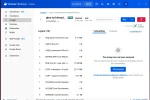
As you can see friom the screen shot 6909xv2 is working fine with the tvheadend.
As is described in some other post, the stid chip has some bug that prevents correct reception, but
my drivers have some workaround. It is explained in the documentation.

Why not use neumo-dmx and pipe the output to tsp?


1.webp
 
As you can see friom the screen shot 6909xv2 is working fine with the tvheadend.
As is described in some other post, the stid chip has some bug that prevents correct reception, but
my drivers have some workaround. It is explained in the documentation.

Why not use neumo-dmx and pipe the output to tsp?

Thanks for the suggestion to use neumo-dmx and pipe the output to tsp. That should solve the problem.
I see the example in the documentation and I will try that.
 
As you can see friom the screen shot 6909xv2 is working fine with the tvheadend.
As is described in some other post, the stid chip has some bug that prevents correct reception, but
my drivers have some workaround. It is explained in the documentation.

Why not use neumo-dmx and pipe the output to tsp?

I got it to work now :)

Shell script:
Code:
cd /home/dvb/blindscan/build/src/
timeout -k 1 30  ./neumo-tune -ctune -A blind -a 1 -r 1 -U3 -f 12606000 -pV --pls-code=ROOT+16416  --stream-id=4 -b &
timeout -k 1 30  ./neumo-dmx -a 1 -d 0 --stid-isi=5 --stid-pid=270 --t2mi-pid=4096 --t2mi-plp=0 --pid 0x2000> /home/dvb/5W/12606V_ISI_5.ts &
timeout -k 1 30  ./neumo-dmx -a 1 -d 0 --stid-isi=4 --stid-pid=270> /home/dvb/5W/12606V_ISI_4.ts &
wait
#tsduck decode tables
tstables  --psi-si --pid 18 --pid 20 --binary-output /home/dvb/5W/12606V_ISI_5.bin /home/dvb/5W/12606V_ISI_5.ts
tstabcomp --decompile --default-charset ISO-8859-15 /home/dvb/5W/12606V_ISI_5.bin
tstables  --psi-si --pid 18 --pid 20 --binary-output /home/dvb/5W/12606V_ISI_4.bin /home/dvb/5W/12606V_ISI_4.ts
tstabcomp --decompile --default-charset ISO-8859-15 /home/dvb/5W/12606V_ISI_4.bin
 
Subject: Issue compiling linux_media (deepthought) on Ubuntu 22.04 (Kernel 5.15) with media_build - Multiple Patch Failures

Hi @deeptho and everyone,

I am trying to install the blindscan drivers for my TBS6903x card.

My Environment:
* OS: Ubuntu 22.04 LTS
* Kernel: 5.15.0-163-generic
* Hardware: TBS6903x

What I did:
I followed the instructions to clone the latest sources:

Code:
mkdir ~/blindscan_kernel
cd ~/blindscan_kernel
git clone --depth=1 https://github.com/deeptho/linux_media.git -b deepthought ./media
git clone https://github.com/deeptho/media_build.git
cd media_build
make dir DIR=../media
./install.sh

The Problem:
During the ./install.sh process, I am encountering multiple patch failures. It seems media_build tries to apply backports patches that conflict with the source code (likely because the source is too new?).

I encountered errors with:
* v6.5_dvb_math.patch
* v6.4_pin_user_pages.patch
* v6.3_class_create.patch
* v6.2_remove.patch
... and potentially more.

Error Example:

Code:
patch -s -f -N -p1 -i ../backports/v6.2_remove.patch
1 out of 3 hunks FAILED
...
make[2]: *** [Makefile:136: apply_patches] Error 1

My Question:
I am currently using an AI assistant to help me troubleshoot, and it suggested a "dirty fix": emptying the failing patch files (using touch patch_name) to bypass them one by one.

1. Is this the correct way to handle these errors on Kernel 5.15?
2. Or is there a specific branch/tag I should be using for Ubuntu 22.04 to avoid these "backport" conflicts?

Any advice would be greatly appreciated. Thanks for your hard work on this driver!
 
Subject: Issue compiling linux_media (deepthought) on Ubuntu 22.04 (Kernel 5.15) with media_build - Multiple Patch Failures


Any advice would be greatly appreciated. Thanks for your hard work on this driver!

Hi, try to install LTS Kernel 6.12 with Headers and try again.

best
 
Subject: Issue compiling linux_media (deepthought) on Ubuntu 22.04 (Kernel 5.15) with media_build - Multiple Patch Failures

Hi @deeptho and everyone,

I am trying to install the blindscan drivers for my TBS6903x card.

My Environment:
* OS: Ubuntu 22.04 LTS
* Kernel: 5.15.0-163-generic
* Hardware: TBS6903x

What I did:
I followed the instructions to clone the latest sources:

Code:
mkdir ~/blindscan_kernel
cd ~/blindscan_kernel
git clone --depth=1 https://github.com/deeptho/linux_media.git -b deepthought ./media
git clone https://github.com/deeptho/media_build.git
cd media_build
make dir DIR=../media
./install.sh

The Problem:
During the ./install.sh process, I am encountering multiple patch failures. It seems media_build tries to apply backports patches that conflict with the source code (likely because the source is too new?).

I encountered errors with:
* v6.5_dvb_math.patch
* v6.4_pin_user_pages.patch
* v6.3_class_create.patch
* v6.2_remove.patch
... and potentially more.

Error Example:

Code:
patch -s -f -N -p1 -i ../backports/v6.2_remove.patch
1 out of 3 hunks FAILED
...
make[2]: *** [Makefile:136: apply_patches] Error 1

My Question:
I am currently using an AI assistant to help me troubleshoot, and it suggested a "dirty fix": emptying the failing patch files (using touch patch_name) to bypass them one by one.

1. Is this the correct way to handle these errors on Kernel 5.15?
2. Or is there a specific branch/tag I should be using for Ubuntu 22.04 to avoid these "backport" conflicts?

Any advice would be greatly appreciated. Thanks for your hard work on this driver!
That is a very old kernel. I doubt that removing patches will help. Instead you shoud create new patches.
 
That is a very old kernel. I doubt that removing patches will help. Instead you shoud create new patches.

Finally, after several attempts, I successfully ran the stream 5 T2-MI on 12606 V following the procedure described above.

I didn't understand why with the command "neumo-tune -ctune -A blind -a 6 -r 1 -U3 -f 12606000 -pV --pls-code=ROOT+16416 --stream-id=4 -b" the signal on 12606 V is not locked even though it is over 11dB(?).

Only directly, through neumoDVB Positioner, was I able to provide the signal for this stream, and not through Neumo-Tune, so that you can view the TV programs on this T2-Mi stream.

What exactly is missing in the neumo-tune to lock the signal on 12606 V?
System Environment:
- Ubuntu 24.04.2 LTS
- Kernel: 6.12.34-061234-generic
- GCC: 14.2.0

What I did:

1. Installed dependencies and upgraded GCC to 14:
sudo apt install -y build-essential git patchutils ccache perl libproc-processtable-perl linux-headers-$(uname -r) gcc-14 g++-14
sudo update-alternatives --install /usr/bin/gcc gcc /usr/bin/gcc-14 100 --slave /usr/bin/g++ g++ /usr/bin/g++-14

2. Downloaded source code:
mkdir ~/blindscan_kernel
cd ~/blindscan_kernel
git clone --depth=1 GitHub - deeptho/linux_media: neumoDVB blindscan drivers media_tree ./media
git clone GitHub - deeptho/media_build_old: media_build for compiling the neumoDVB media_tree on this site

3. Attempted to compile:
cd media_build
git checkout deepthought
make dir DIR=../media
make distclean
make

Problem encountered:
Compilation failed with DMA_BUF namespace errors:
ERROR: modpost: module videobuf2-common uses symbol dma_buf_get from namespace DMA_BUF, but does not import it.
ERROR: modpost: module videobuf2-dma-contig uses symbol dma_buf_export from namespace DMA_BUF, but does not import it.
[... many similar errors]
make[4]: *** Error 1

4. Tried to fix - Added namespace imports:
cd ~/blindscan_kernel/media/drivers/media/common/videobuf2
echo 'MODULE_IMPORT_NS(DMA_BUF);' >> videobuf2-core.c
echo 'MODULE_IMPORT_NS(DMA_BUF);' >> videobuf2-dma-contig.c
echo 'MODULE_IMPORT_NS(DMA_BUF);' >> videobuf2-dma-sg.c
echo 'MODULE_IMPORT_NS(DMA_BUF);' >> videobuf2-vmalloc.c

5. Recompiled:
cd ~/blindscan_kernel/media_build
make distclean
make dir DIR=../media
make

Result: Same DMA_BUF errors still appear.

6. Also encountered rc-main.c errors, fixed them:
SOURCEFILE=$(find ~/blindscan_kernel/media -name "rc-main.c" -type f)
sed -i 's/static void version_log()/static void version_log(void)/g' "$SOURCEFILE"
sed -i 's/, ref, tag, branch);/, rev, tag, branch);/g' "$SOURCEFILE"
cd ~/blindscan_kernel/media_build
make

Result: rc-main.c errors fixed, but DMA_BUF issue persists.

My question:
I saw your post mentioning you successfully compiled on kernel 6.12.34 with GCC 14. Could you please share your detailed step-by-step process? Did you encounter the DMA_BUF namespace errors? If so, how did you resolve them?

Thank you!
 
That is a very old kernel. I doubt that removing patches will help. Instead you shoud create new patches.
Kernel: 6.12.34-061234-generic
Ubuntu: 24.04.2 LTS
GCC: 14.2.0

Main compilation error:

ERROR: modpost: module videobuf2-common uses symbol dma_buf_get from namespace DMA_BUF, but does not import it.
ERROR: modpost: module videobuf2-dma-contig uses symbol dma_buf_export from namespace DMA_BUF, but does not import it.
ERROR: modpost: module videobuf2-dma-sg uses symbol dma_buf_export from namespace DMA_BUF, but does not import it.
ERROR: modpost: module videobuf2-vmalloc uses symbol dma_buf_export from namespace DMA_BUF, but does not import it.
[... similar errors for other DMA_BUF symbols ...]

make[4]: *** [scripts/Makefile.modpost:145: Module.symvers] Error 1
I tried adding MODULE_IMPORT_NS(DMA_BUF); to the videobuf2 source files, but the errors persist.

Could you please advise on how to resolve this issue? Is there a patch available for kernel 6.12+,

I saw another user successfully compiled on the same kernel version - would you happen to know what steps they took?

Thank you very much for your help and for maintaining these excellent drivers!

Best regards
 
...
My question:
I saw your post mentioning you successfully compiled on kernel 6.12.34 with GCC 14. Could you please share your detailed step-by-step process? Did you encounter the DMA_BUF namespace errors? If so, how did you resolve them?

Thank you!
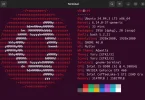
Because I had problems updating drivers, I switched to Kernel version 6.14.0-37. I installed the drivers according to the recommendations on @deeptho's now well-known page. The driver installation went smoothly with the new kernel on Ubuntu 24.04.3.

Then I installed neumo-blindscan, neumo-tune, and neumo-dmx from this page, which you already know.

Because I am still clumsy with Linux, and even more so with drivers and more complex applications, I won't venture to show you a video how-to on the whole installation process.

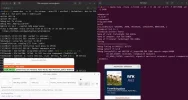
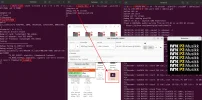
But since I managed to install Neumo-tune and Dmx-tune, I can use them to run and listen to DAB+ streams, like NRK at 1.0W.

Although drivers can be installed without a patch on Ubuntu 24.04 with a new kernel.
 

Attachments

  • Ubuntu 24.042025-12-30_12-31.webp
    Ubuntu 24.042025-12-30_12-31.webp
    74.2 KB · Views: 21
  • DAB+_10717 V,5400, 34,8PSK_neumo-tune+neumo-dmx_2025-12-30_12-34.webp
    DAB+_10717 V,5400, 34,8PSK_neumo-tune+neumo-dmx_2025-12-30_12-34.webp
    146.4 KB · Views: 33
Good to hear that it worked out. It is best to stay on 6.14 for the time being as newer kernels will not work.
TBS is working on a solution
 
Because I had problems updating drivers, I switched to Kernel version 6.14.0-37. I installed the drivers according to the recommendations on @deeptho's now well-known page. The driver installation went smoothly with the new kernel on Ubuntu 24.04.3.

Then I installed neumo-blindscan, neumo-tune, and neumo-dmx from this page, which you already know.

Because I am still clumsy with Linux, and even more so with drivers and more complex applications, I won't venture to show you a video how-to on the whole installation process.

But since I managed to install Neumo-tune and Dmx-tune, I can use them to run and listen to DAB+ streams, like NRK at 1.0W.

Although drivers can be installed without a patch on Ubuntu 24.04 with a new kernel.
Hi there!

I saw you successfully installed the drivers on Ubuntu 24.04.3 with kernel 6.14.0-37.

Could you please share your detailed command list for installing the drivers?

Specifically, I'd like to know:
1. What exact commands did you run to compile and install the drivers?
2. Did you encounter any errors during compilation? If so, how did you fix them?
3. Did you need to modify any source files (like adding MODULE_IMPORT_NS, etc.)?
I would appreciate having your command list as a reference so I can compare it with what I did and identify any mistakes I might have made during the installation.
Thank you so much for your help!
 
Hi there!

I saw you successfully installed the drivers on Ubuntu 24.04.3 with kernel 6.14.0-37.

Could you please share your detailed command list for installing the drivers?

Specifically, I'd like to know:
1. What exact commands did you run to compile and install the drivers?
2. Did you encounter any errors during compilation? If so, how did you fix them?
3. Did you need to modify any source files (like adding MODULE_IMPORT_NS, etc.)?
I would appreciate having your command list as a reference so I can compare it with what I did and identify any mistakes I might have made during the installation.
Thank you so much for your help!
Sorry, it took a "year" to answer your question. :)

What I'm telling you now is nothing more than what I read on Deeptho's website, and the commands below are what I found there.
Here are the commands I used to install @deeptho's drivers to work with neumoDVB, the app neumo-tune, neumo-dmx, and stid135-blindscan on Ubuntu 24.04 and Kernel 6.14.0-37-generic.

Actually, the following commands are Deeptho's, which I applied when I installed his drivers. I hope they help you, too.

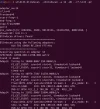
Linux sat 6.14.0-37-generic #37~24.04.1-Ubuntu SMP PREEMPT_DYNAMIC Thu Nov 20 10:25:38 UTC 2 x86_64 x86_64 x86_64 GNU/Linux

For neumo_media_build:

mkdir ~/blindscan_kernel
cd ~/blindscan_kernel
git clone --depth=1 GitHub - deeptho/linux_media: neumoDVB blindscan drivers media_tree ./media
git clone GitHub - deeptho/neumo_media_build: smalkl changes to media_build as needed to compile neumo drivers
cd neumo_media_build
git checkout deepthought
git reset --hard
make dir DIR=../media
make distclean
./install.sh
reboot
sudo modprobe tbsecp

For Neumo-blindscan:

cd blindscan_kernel
git clone --depth=1 deeptho/linux_media -b deepthought ./media
git clone GitHub - deeptho/blindscan: User space code for DVB blind scanning
cd blindscan
mkdir build
cd build
cmake ..
make
sudo make install
reboot

After that, "The executable will be located in build/src/blindscan and can be copied to /usr/bin/"
that is, "neumo-blindscan" and "neumo-tune":

cd blindscan/build/src
sudo mv neumo-blindscan neumo-tune /usr/bin/

I hope I haven't forgotten anything important.
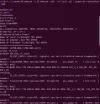
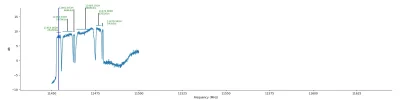
And here are a few examples that I tested with Neumo-Tune, DMX-neumo, and STID135-Blindscan.

I used the TBS6903x card for these tests.

Good luck with the installation, and Happy New Year 2026! :Y
 

Attachments

  • Neumo-tune+Neumo-DMX+NRK DAB+ stream2026-01-01_13-26.webp
    Neumo-tune+Neumo-DMX+NRK DAB+ stream2026-01-01_13-26.webp
    193.4 KB · Views: 20
  • Spectral peaks scan_2026-01-02_09-56.webp
    Spectral peaks scan_2026-01-02_09-56.webp
    80 KB · Views: 19
  • stid135-blindscan_2025-12-25_13-32.0W.webp
    stid135-blindscan_2025-12-25_13-32.0W.webp
    84.4 KB · Views: 13
  • 1.0W_10717 V_tuning single transponder_2026-01-02_09-51.webp
    1.0W_10717 V_tuning single transponder_2026-01-02_09-51.webp
    45.6 KB · Views: 18
  • low symbol rate_11450-11500 H.webp
    low symbol rate_11450-11500 H.webp
    20.1 KB · Views: 22
Last edited:
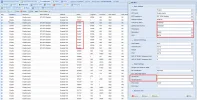
I have now been able to patch tvheadend to make use of the new neumodvb drivers. This allows decrypting t2mi multistreams,
for example 11402V@16.0E. First scan the mux as usual. Then add a copy with the same tuning parameters, except that you
add a t2mi pid and a plp id. The screenshots show what the GUI looks like while editing and what it looks like when playing
one of the services.

Currently viewing N1. My sympathy for the Ukraine for fighting dictators and gangsters.

...
I tried to add/install the T2_MI PID for 11401 V, 17500, 3/4, 8PSK at 16.0E. Unfortunately, even though I followed the instructions above, I was unable to add T2-MI to TVHeadEnd.

The patch added to this app is probably for this PID. I 'am not sure about that. That's why I installed the ghcr.io_tvheadend docker(the first time)

Please tell me what I should do to add the PID for T2-MI in TVHeadEnd, as I see in your picture.

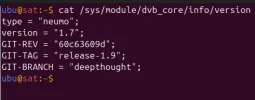
(I'm using neumo 1.7 and driver 1.9. I hope it's ok.)
 

Attachments

  • neumo & driver vers_2026-01-19_16-52.webp
    neumo & driver vers_2026-01-19_16-52.webp
    11.7 KB · Views: 23
  • docker ghcr.io_tvheadend_2026-01-19_16-36.webp
    docker ghcr.io_tvheadend_2026-01-19_16-36.webp
    61.1 KB · Views: 14
  • 16.0E_11400 V_T2MI_2026-01-19_11-14.webp
    16.0E_11400 V_T2MI_2026-01-19_11-14.webp
    122.2 KB · Views: 17
You may have noticed that neither the tbs nor the neumo drivers compile on the most recent kernels. This is due to changes in the
main linux kernel that make using "media_build" in its current form impossible. Fixing it would take too much time, so that will not happen.

However there is good news: both TBS and myself have been working on "out of tree" compilation of the kernel modules and this is
now mostly working, at least for kernels 6.14, ... 6.17. I am planning to release the neumo-drivers soon (coming weeks), but I have them
working both with neumodvb and tvheadend. Compilation is now also much faster and as we do not need to touch other drivers, there is
less risk of problems like damaged graphics drivers.

There is however one thing that everyone should pay attention to: to guarantee binary compatibility with all kernels, there are certain
datastructures in the kernel that cannot be changed without causing the possibility of crashes. For the neumo drivers that means
that some IOCTL codes had to be renumbered, Some other numbers describing modulation types had to be changed as well.
This means that user code (neumodvb and blindscan) and drivers both need to upgraded jointly.
For the users this means:
  1. An old neumodvb will not work with the new neumo drivers
  2. A new neumodvb will not work with the old neumo drivers
  3. New and old neumodvb will work with new and old tbs drivers
  4. Programs such as tvheadend should work wih all versions of all drivers
  5. Some muxes may need to be rescanned (as modulation type may be incorrect)
  6. tbs will no longer support some very old drivers/cards (e.g. tbs5990), but neumo drivers still will
This problem will only occur once. Future releases of the drivers and the user programs will NOT need to be upgraded simultaneously.

I also expect some other small problems as well. For example: old drivers need to be properly uninstalled, otherwise a Frankenstein situation
will occur.

But overall it should be a big improvement.
Installing the drivers will normally be done with `install.sh`, or manually as follows:

FIrst download
Code:
cd ~/
git clone --depth=1  https://github.com/deeptho/neumo-driver.git<br>cd ~/neumo-driver
or update
Code:
cd  ~/neumo-driver
git reset --hard  #optional; helps to prevent self-inflicted problems
git pull  https://github.com/deeptho/neumo-driver.git

Then build or rebuild:
Code:
cd  ~/neumo-driver
sudo make clean   #optional; helps to prevent problems
make -j`nproc`
sudo make install
You can also build drivers for another (newer or older) kernel than the one you are running, which
can be very useful
Code:
cd  ~/neumo-driver
sudo make clean   #optional; helps to prevent problems
make -j`nproc` KVER=6.17.13-200.fc42.x86_64
sudo make install KVER=6.17.13-200.fc42.x86_64
 
...

However there is good news: both TBS and myself have been working on "out of tree" compilation of the kernel modules and this is
now mostly working, at least for kernels 6.14, ... 6.17. I am planning to release the neumo-drivers soon (coming weeks), but I have them
working both with neumodvb and tvheadend. Compilation is now also much faster and as we do not need to touch other drivers, there is
less risk of problems like damaged graphics drivers.

...
Unsuccessful attempt to install neumo-drivers because I am asked for my GitHub username and password right on the console.
Although I comply with the request, I receive a git-related message that prevents me from proceeding.
It is probably about your username and password. and not mine(?).

What does Git operational mean, and why am I not allowed to proceed?
 

Attachments

  • neumo-drivers_2026-02-01_18-18.webp
    neumo-drivers_2026-02-01_18-18.webp
    32.8 KB · Views: 23
there needs to be an s at the end....
 
Today I have update the drivers, but also neumodvb, neumo-blindscan and tvheadend to swicth to the new "out of tree" drivers.
So if you are feeling brave you can test them. It is important to upgrade all software that you use.
Also, it is possible that some USB cards receive a new unique ID (mac address), in which case existing configuration
for these cards will disappear.

If you use rtl-based dvb sticks, then these sticks may not have a valid USB serial id. neumodvb will still work with them, but
the cards can change adapter number when they are re-inserted. To prevent this, there is un linux command called rtl_eeprom
(part of rtl-sdr) that allows you to program a serial number yourself. The main advantage is that neumoDVB will recognize that an
inserted USB stick is the same one (or not) as a previously inserted one and will apply the proper configuration

Things to test
  1. do the drivers work with other programs?
  2. if you have any cards not defined in neumo-drivers, but installed as part of the regular kernel, do they continue to work, e.g., dvb sticks
  3. platforms other than x86_64 (e.g., raspberri pi)
My own tests on kernel 6.14 on fedora are mostly positive, but I have not tested everything. Supported and tested kernels are 6.14, 6.15, 6.17 and 6.18. The code compiles with those kernels (and probably also with 6.16).

The drivers also include a script to gather debug info on your computer. So use it when reporting bugs.
 
Today I have update the drivers, but also neumodvb, neumo-blindscan and tvheadend to swicth to the new "out of tree" drivers.
So if you are feeling brave you can test them. It is important to upgrade all software that you use.
Also, it is possible that some USB cards receive a new unique ID (mac address), in which case existing configuration
for these cards will disappear.

...
I was "brave", but that's not enough :); I also need "knowledge" to fully succeed in installing Neumo-drivers.

My first attempt was with kernel 6.14 for Ubuntu 24.04, but since I failed, I installed kernel 6.17.3.

I tried installing the drivers using the command lines shown below.

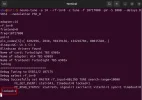
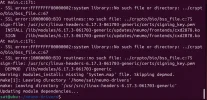
Up to "make install", I had no errors. Only at this stage did I notice a few errors (see screenshot)

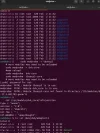
The tests I ran after finishing the driver installation (?) show that the new drivers weren't installed, even though the adapted ones are present, but I guess they only show up because they're the old ones.

If I failed, I didn't try to upgrade all the software.

I will only do this upgrade after a proper installation of Neumo-drivers.

I -cd ~/
git clone --depth=1 GitHub - deeptho/neumo-drivers: Out of tree drivers for blindscan, spectrum acquistion aimed at TBS dvb cards
cd ~/neumo-drivers

II -make clean #optional; helps to prevent problems
make -j`nproc`

III -make install #best to NOT run this as root, sudo is called internally where needed

IV -sudo tar jxvf tbs-tuner-firmwares*.tar.bz2 -C /lib/firmware/

V -sudo apt install -y rsyslog
sudo vi /etc/rsyslog.conf # add "kern.debug /var/log/debug" line
sudo systemctl enable rsyslog
sudo systemctl start rsyslog #to have log messages in /var/log/debug

Has anyone managed to install Neumo-drivers?
 

Attachments

  • drivers for kernel 6.17.3_2026-02-02_11-47.webp
    drivers for kernel 6.17.3_2026-02-02_11-47.webp
    72.1 KB · Views: 11
  • adapters_2026-02-02_12-05.webp
    adapters_2026-02-02_12-05.webp
    102.9 KB · Views: 9
  • all adapters_2026-02-02_11-05.webp
    all adapters_2026-02-02_11-05.webp
    129.8 KB · Views: 10
  • install neumo-drivers-Ubuntu 24.04_kernel 6.17.3_.zip
    install neumo-drivers-Ubuntu 24.04_kernel 6.17.3_.zip
    2.2 MB · Views: 1
  • Ubuntu 24.04_2026-02-02_13-16.webp
    Ubuntu 24.04_2026-02-02_13-16.webp
    77.1 KB · Views: 10
Back
Top