Blindscan on linux with tbs cards

@deeptho
Another problem that i face is using scan-s2 ( GitHub - crazycat69/scan-s2 ).
This program used to work before the latest update of the drivers.
I was scanning transponders (getting from blind scanning) in order to get channels etc.
With the latest drivers it doesn't work.
[Sat Feb 1 19:45:53 2025] ------------[ cut here ]------------
[Sat Feb 1 19:45:53 2025] kernel BUG at /home/tasoss/dvb/neumo/neumo_media_build/v4l/dvb_demux.c:1087!
[Sat Feb 1 19:45:53 2025] Oops: invalid opcode: 0000 [#1] PREEMPT SMP NOPTI
[Sat Feb 1 19:45:53 2025] CPU: 6 UID: 1000 PID: 2454 Comm: scan-s2 Tainted: G OE 6.12.11 #1
[Sat Feb 1 19:45:53 2025] Tainted: [O]=OOT_MODULE, [E]=UNSIGNED_MODULE
[Sat Feb 1 19:45:53 2025] Hardware name: ASUS System Product Name/PRIME B660M-K D4, BIOS 3601 10/12/2024
[Sat Feb 1 19:45:53 2025] RIP: 0010:dvb_demux_output_feed_add+0x193/0x1b0 [dvb_core]
[Sat Feb 1 19:45:53 2025] Code: 63 c0 48 c7 c7 e8 0d 64 c0 44 0f b7 83 30 11 00 00 e8 91 8b b8 d4 e9 2f ff ff ff be 01 00 00 00 e8 52 74 24 d5 e9 16 ff ff ff <0f> 0b be 02 00 00 00 e8 41 74 24 d5 e9 05 ff ff ff 66 66 2e 0f 1f
[Sat Feb 1 19:45:53 2025] RSP: 0018:ffffb1cecaffb9a8 EFLAGS: 00010246
[Sat Feb 1 19:45:53 2025] RAX: ffffb1cec8c41000 RBX: ffff8e4c9f080b38 RCX: 0000000000000000
[Sat Feb 1 19:45:53 2025] RDX: ffffb1cec8c41000 RSI: ffffb1cec87a4008 RDI: ffffb1cec8c41000
[Sat Feb 1 19:45:53 2025] RBP: ffffb1cecaffb9c8 R08: 0000000000000000 R09: 0000000000000000
[Sat Feb 1 19:45:53 2025] R10: 0000000000000000 R11: 0000000000000000 R12: 0000000000000000
[Sat Feb 1 19:45:53 2025] R13: 0000000000000000 R14: ffffffffc060dce0 R15: ffff8e4c9f080dc8
[Sat Feb 1 19:45:53 2025] FS: 000072349d4a9740(0000) GS:ffff8e4fef500000(0000) knlGS:0000000000000000
[Sat Feb 1 19:45:53 2025] CS: 0010 DS: 0000 ES: 0000 CR0: 0000000080050033
[Sat Feb 1 19:45:53 2025] CR2: 000072349d2eca20 CR3: 0000000106dc6000 CR4: 0000000000f52ef0
[Sat Feb 1 19:45:53 2025] PKRU: 55555554
[Sat Feb 1 19:45:53 2025] Call Trace:
[Sat Feb 1 19:45:53 2025] <TASK>
[Sat Feb 1 19:45:53 2025] ? show_regs+0x6c/0x80
[Sat Feb 1 19:45:53 2025] ? die+0x37/0xa0
[Sat Feb 1 19:45:53 2025] ? do_trap+0xda/0xf0
[Sat Feb 1 19:45:53 2025] ? do_error_trap+0x71/0xb0
[Sat Feb 1 19:45:53 2025] ? dvb_demux_output_feed_add+0x193/0x1b0 [dvb_core]
[Sat Feb 1 19:45:53 2025] ? exc_invalid_op+0x52/0x80
[Sat Feb 1 19:45:53 2025] ? dvb_demux_output_feed_add+0x193/0x1b0 [dvb_core]
[Sat Feb 1 19:45:53 2025] ? asm_exc_invalid_op+0x1b/0x20
[Sat Feb 1 19:45:53 2025] ? __pfx_dvb_dmxdev_section_callback+0x10/0x10 [dvb_core]
[Sat Feb 1 19:45:53 2025] ? dvb_demux_output_feed_add+0x193/0x1b0 [dvb_core]
[Sat Feb 1 19:45:53 2025] ? __pfx_dvb_dmxdev_section_callback+0x10/0x10 [dvb_core]
[Sat Feb 1 19:45:53 2025] dvbdmx_allocate_section_feed+0x179/0x1f0 [dvb_core]
[Sat Feb 1 19:45:53 2025] dvb_dmxdev_filter_start+0x48d/0x540 [dvb_core]
[Sat Feb 1 19:45:53 2025] dvb_demux_do_ioctl+0x1b7/0x940 [dvb_core]
[Sat Feb 1 19:45:53 2025] ? __check_object_size+0x6d/0x300
[Sat Feb 1 19:45:53 2025] dvb_usercopy+0x6a/0x1d0 [dvb_core]
[Sat Feb 1 19:45:53 2025] ? __pfx_dvb_demux_do_ioctl+0x10/0x10 [dvb_core]
[Sat Feb 1 19:45:53 2025] dvb_demux_ioctl+0x15/0x30 [dvb_core]
[Sat Feb 1 19:45:53 2025] __x64_sys_ioctl+0x9d/0xe0
[Sat Feb 1 19:45:53 2025] x64_sys_call+0x11ad/0x25f0
[Sat Feb 1 19:45:53 2025] do_syscall_64+0x7e/0x170
[Sat Feb 1 19:45:53 2025] ? mntput+0x24/0x50
[Sat Feb 1 19:45:53 2025] ? terminate_walk+0x65/0x100
[Sat Feb 1 19:45:53 2025] ? path_openat+0x4dd/0x1350
[Sat Feb 1 19:45:53 2025] ? do_filp_open+0xc0/0x170
[Sat Feb 1 19:45:53 2025] ? putname+0x5b/0x80
[Sat Feb 1 19:45:53 2025] ? do_sys_openat2+0x9f/0xe0
[Sat Feb 1 19:45:53 2025] ? syscall_exit_to_user_mode+0x4e/0x260
[Sat Feb 1 19:45:53 2025] ? do_syscall_64+0x8a/0x170
[Sat Feb 1 19:45:53 2025] ? ksys_write+0x73/0x100
[Sat Feb 1 19:45:53 2025] ? syscall_exit_to_user_mode+0x4e/0x260
[Sat Feb 1 19:45:53 2025] ? do_syscall_64+0x8a/0x170
[Sat Feb 1 19:45:53 2025] ? do_syscall_64+0x8a/0x170
[Sat Feb 1 19:45:53 2025] ? irqentry_exit+0x43/0x50
[Sat Feb 1 19:45:53 2025] ? sysvec_apic_timer_interrupt+0x57/0xc0
[Sat Feb 1 19:45:53 2025] entry_SYSCALL_64_after_hwframe+0x71/0x79
[Sat Feb 1 19:45:53 2025] RIP: 0033:0x72349d324ded
[Sat Feb 1 19:45:53 2025] Code: 04 25 28 00 00 00 48 89 45 c8 31 c0 48 8d 45 10 c7 45 b0 10 00 00 00 48 89 45 b8 48 8d 45 d0 48 89 45 c0 b8 10 00 00 00 0f 05 <89> c2 3d 00 f0 ff ff 77 1a 48 8b 45 c8 64 48 2b 04 25 28 00 00 00
[Sat Feb 1 19:45:53 2025] RSP: 002b:00007ffe503fe640 EFLAGS: 00000246 ORIG_RAX: 0000000000000010
[Sat Feb 1 19:45:53 2025] RAX: ffffffffffffffda RBX: 0000000000002968 RCX: 000072349d324ded
[Sat Feb 1 19:45:53 2025] RDX: 00007ffe503fe6b0 RSI: 00000000403c6f2b RDI: 0000000000000004
[Sat Feb 1 19:45:53 2025] RBP: 00007ffe503fe690 R08: 00000000ffffffff R09: 0000000000000001
[Sat Feb 1 19:45:53 2025] R10: 0000000000000000 R11: 0000000000000246 R12: 000000000000000d
[Sat Feb 1 19:45:53 2025] R13: 0000000000000000 R14: 00005f1b08fd2c18 R15: 000072349d507000
[Sat Feb 1 19:45:53 2025] </TASK>
[Sat Feb 1 19:45:53 2025] Modules linked in: qrtr xt_tcpudp nft_compat nf_tables libcrc32c binfmt_misc nls_iso8859_1 xe drm_ttm_helper gpu_sched drm_suballoc_helper drm_gpuvm drm_exec intel_rapl_msr intel_rapl_common intel_uncore_frequency intel_uncore_frequency_common intel_tcc_cooling x86_pkg_temp_thermal intel_powerclamp coretemp kvm_intel stid135(OE) i915 kvm crct10dif_pclmul cmdlinepart crc32_pclmul polyval_clmulni input_leds polyval_generic spi_nor ghash_clmulni_intel joydev eeepc_wmi mei_hdcp mei_pxp sha256_ssse3 asus_wmi sha1_ssse3 mtd sparse_keymap ee1004 aesni_intel platform_profile crypto_simd i2c_algo_bit wmi_bmof cryptd drm_buddy video tbsecp3(OE) rapl intel_cstate tas2101(OE) ttm mei_me i2c_i801 spi_intel_pci dvb_core(OE) drm_display_helper spi_intel mei i2c_smbus intel_pmc_core intel_vsec pmt_telemetry acpi_pad wmi pmt_class acpi_tad sch_fq_codel msr parport_pc ppdev lp parport efi_pstore nfnetlink dmi_sysfs ip_tables x_tables autofs4 hid_generic usbhid uas hid usb_storage nvme r8169 intel_lpss_pci nvme_core ahci
[Sat Feb 1 19:45:53 2025] intel_lpss realtek libahci idma64 vmd nvme_auth pinctrl_alderlake
[Sat Feb 1 19:45:53 2025] ---[ end trace 0000000000000000 ]---
You can reproduce it using something like :
echo "S2 10720739 H 29998872 3/5 AUTO 8PSK " | scan-s2 -I 50 -o vdr -t 1 -lUNIVERSAL -U -a2 -x -2 /dev/stdin
-a2 is the adapter used
 
It seems like it does not switch to the high band. Maybe you have misconfigured something?
What satellite is this?
@deeptho
Another problem that i face is using scan-s2 ( GitHub - crazycat69/scan-s2 ).
This program used to work before the latest update of the drivers.
I was scanning transponders (getting from blind scanning) in order to get channels etc.
With the latest drivers it doesn't work.

You can reproduce it using something like :

-a2 is the adapter used
Can you provide the git id of the last version that worked and of the current version?
 
@deeptho
The problem occurs on kernels 6.6.74 , 6.6.75 (that's what i have tried at least).
It is working on tags/release-1.4.1 and it has stopped working on tags/release-1.5 ( as i have told you , the latest driver's release ).
The app 'scan-s2' crashes and even after trying to reboot , it takes a few minutes to actually reboot.
While this happens i see
Feb 03 00:02:19 tbsMachine kernel: fe_stid135_get_lock_status:1839 demod=0 demodState=2 carr=1 lock=1 vit=1 sync=1 tmg=1: 0x1 0x1 0x1 0x3
Feb 03 00:02:19 tbsMachine kernel: stid135_tune_:1790 demod=0 LOCK TIME 117ms locked=1
Feb 03 00:02:22 tbsMachine kernel: stid135_tune_:1752 demod=0 re_tune=0
Feb 03 00:02:22 tbsMachine kernel: fe_stid135_get_lock_status:1839 demod=0 demodState=2 carr=1 lock=1 vit=1 sync=1 tmg=1: 0x1 0x1 0x1 0x3
Feb 03 00:02:22 tbsMachine kernel: stid135_tune_:1790 demod=0 LOCK TIME 117ms locked=1
Feb 03 00:02:25 tbsMachine kernel: stid135_tune_:1752 demod=0 re_tune=0
Feb 03 00:02:25 tbsMachine kernel: fe_stid135_get_lock_status:1839 demod=0 demodState=2 carr=1 lock=1 vit=1 sync=1 tmg=1: 0x1 0x1 0x1 0x3
Feb 03 00:02:26 tbsMachine kernel: stid135_tune_:1790 demod=0 LOCK TIME 117ms locked=1
Feb 03 00:02:29 tbsMachine kernel: stid135_tune_:1752 demod=0 re_tune=0
Feb 03 00:02:29 tbsMachine kernel: fe_stid135_get_lock_status:1839 demod=0 demodState=2 carr=1 lock=1 vit=1 sync=1 tmg=1: 0x1 0x1 0x1 0x3
Feb 03 00:02:29 tbsMachine kernel: stid135_tune_:1790 demod=0 LOCK TIME 117ms locked=1
Feb 03 00:02:32 tbsMachine kernel: stid135_tune_:1752 demod=0 re_tune=0
Feb 03 00:02:32 tbsMachine kernel: fe_stid135_get_lock_status:1839 demod=0 demodState=2 carr=1 lock=1 vit=1 sync=1 tmg=1: 0x1 0x1 0x1 0x3
Thanks
 
16.0°E

Did you try using scan-s2 and it's working correctly for you ?
I can provide you but it will take some time.

@deeptho
The problem occurs on kernels 6.6.74 , 6.6.75 (that's what i have tried at least).
It is working on tags/release-1.4.1 and it has stopped working on tags/release-1.5 ( as i have told you , the latest driver's release ).
The app 'scan-s2' crashes and even after trying to reboot , it takes a few minutes to actually reboot.
While this happens i see

Thanks
That means you are not using the latest version.
scan-s2 does not crash for me, but I have not succeeded in tuning either (requires delving into its options to figure out correct parameters)
 
@deeptho
With the latest drivers it doesn't work.
This means commit id d97e1992ea90f3da9dc30f9e05dca61aec5a55c4
Date: Wed Jan 29 22:54:00 2025 +0100
This program used to work before the latest update of the drivers.
This means release-1.5 and onwards.
So let me make it crystal clear.
Using 6.6.74 and 6.6.75 and from git's tag named 'release-1.5' (commit id 76537c443db52e68c4baa61697d3e5635edfefec) and onwards ( until current id d97e1992ea90f3da9dc30f9e05dca61aec5a55c4) it does not work.
scan-s2 does not crash for me, but I have not succeeded in tuning either (requires delving into its options to figure out correct parameters)
Can you please use the command that i have written above. Just change the adapter that you use , as i have written.
Thanks.
 
@deeptho

This means commit id d97e1992ea90f3da9dc30f9e05dca61aec5a55c4
Date: Wed Jan 29 22:54:00 2025 +0100

This means release-1.5 and onwards.
So let me make it crystal clear.
Using 6.6.74 and 6.6.75 and from git's tag named 'release-1.5' (commit id 76537c443db52e68c4baa61697d3e5635edfefec) and onwards ( until current id d97e1992ea90f3da9dc30f9e05dca61aec5a55c4) it does not work.

Can you please use the command that i have written above. Just change the adapter that you use , as i have written.
Thanks.
That is what I did yesterday. No crash but also not tuning (but that does not mean anything as I did
not try to find a mux that works). Perhaps scan-s2 does not open the demux until after lock.
 
I am trying to understand. If the crash occurs when using a mux that works , how are you going to reproduce the problem ?
Anyway i am debugging scan-s2 so i can give you more details about the conditions under which the problem occurs.
 
@deeptho
A few more details.
First of all i am using kernel 6.12.12 and the problem still exists.
The problem exists here
scan-s2 project has scan.c file which at line 1888
static int start_filter (struct section_buf* s){
....
if (ioctl(s->fd, DMX_SET_FILTER, &f) == -1) { -> here is the problem
....
}
....
}

When the line that i have mentioned above hits(and it enters the driver)
the following appears(the same log that i have attached already)

2025-02-04T00:55:19.285217+02:00 tbsMachine kernel: stid135_tune_:1820 demod=0.0 LOCK TIME 108ms locked=1
2025-02-04T00:55:22.346224+02:00 tbsMachine kernel: fe_stid135_get_lock_status:1839 demod=0.0 demod=0 demodState=2 carr=1 lock=1 vit=1 sync=1 tmg=1: 0x1 0x1 0x1 0x3
2025-02-04T00:55:22.424211+02:00 tbsMachine kernel: stid135_tune_:1820 demod=0.0 LOCK TIME 108ms locked=1
2025-02-04T00:55:23.505378+02:00 tbsMachine kernel: dmxdev: dvb_dmxdev_section_filter_set:1065 dvb_dmxdev_section_filter_set: PID=0x0000, flags=05, timeout=0
2025-02-04T00:55:23.505399+02:00 tbsMachine kernel: dmxdev: dvb_dmxdev_filter_start:829 AFTER dvb_dmxdev_filter_sub_demux_start

2025-02-04T00:55:23.505402+02:00 tbsMachine kernel: ------------[ cut here ]------------
2025-02-04T00:55:23.505405+02:00 tbsMachine kernel: kernel BUG at /home/tasoss/dvb/neumo/neumo_media_build/v4l/dvb_demux.c:1087!
2025-02-04T00:55:23.505406+02:00 tbsMachine kernel: Oops: invalid opcode: 0000 [#1] PREEMPT SMP NOPTI
2025-02-04T00:55:23.505407+02:00 tbsMachine kernel: CPU: 2 UID: 1000 PID: 3762 Comm: scan-s2 Tainted: G OE 6.12.12 #1
2025-02-04T00:55:23.505409+02:00 tbsMachine kernel: Tainted: [O]=OOT_MODULE, [E]=UNSIGNED_MODULE
2025-02-04T00:55:23.505411+02:00 tbsMachine kernel: Hardware name: ASUS System Product Name/PRIME B660M-K D4, BIOS 3601 10/12/2024
2025-02-04T00:55:23.505414+02:00 tbsMachine kernel: RIP: 0010:dvb_demux_output_feed_add+0x193/0x1b0 [dvb_core]
2025-02-04T00:55:23.505432+02:00 tbsMachine kernel: Code: 7d c0 48 c7 c7 e8 2d 7e c0 44 0f b7 83 30 11 00 00 e8 91 6b 9e cd e9 2f ff ff ff be 01 00 00 00 e8 c2 54 0a ce e9 16 ff ff ff <0f> 0b be 02 00 00 00 e8 b1 54 0a ce e9 05 ff ff ff 66 66 2e 0f 1f
2025-02-04T00:55:23.505435+02:00 tbsMachine kernel: RSP: 0018:ffffa4a4ccd4bcb8 EFLAGS: 00010246
2025-02-04T00:55:23.505436+02:00 tbsMachine kernel: RAX: ffffa4a4c8241000 RBX: ffff8e2c30d00b38 RCX: 0000000000000000
2025-02-04T00:55:23.505437+02:00 tbsMachine kernel: RDX: ffffa4a4c8241000 RSI: ffffa4a4c7dba008 RDI: ffffa4a4c8241000
2025-02-04T00:55:23.505439+02:00 tbsMachine kernel: RBP: ffffa4a4ccd4bcd8 R08: 0000000000000000 R09: 0000000000000000
2025-02-04T00:55:23.505441+02:00 tbsMachine kernel: R10: 0000000000000000 R11: 0000000000000000 R12: 0000000000000000
2025-02-04T00:55:23.505443+02:00 tbsMachine kernel: R13: 0000000000000000 R14: ffffffffc07afce0 R15: ffff8e2c30d00dc8
2025-02-04T00:55:23.505445+02:00 tbsMachine kernel: FS: 00007ffff7f9f740(0000) GS:ffff8e2f6f300000(0000) knlGS:0000000000000000
2025-02-04T00:55:23.505446+02:00 tbsMachine kernel: CS: 0010 DS: 0000 ES: 0000 CR0: 0000000080050033
2025-02-04T00:55:23.505448+02:00 tbsMachine kernel: CR2: 0000398c0018a000 CR3: 000000015501e000 CR4: 0000000000f52ef0
2025-02-04T00:55:23.505449+02:00 tbsMachine kernel: PKRU: 55555554
2025-02-04T00:55:23.505450+02:00 tbsMachine kernel: Call Trace:
2025-02-04T00:55:23.505452+02:00 tbsMachine kernel: <TASK>
2025-02-04T00:55:23.505453+02:00 tbsMachine kernel: ? show_regs+0x6c/0x80
2025-02-04T00:55:23.505454+02:00 tbsMachine kernel: ? die+0x37/0xa0
2025-02-04T00:55:23.505456+02:00 tbsMachine kernel: ? do_trap+0xda/0xf0
2025-02-04T00:55:23.505457+02:00 tbsMachine kernel: ? do_error_trap+0x71/0xb0
2025-02-04T00:55:23.505458+02:00 tbsMachine kernel: ? dvb_demux_output_feed_add+0x193/0x1b0 [dvb_core]
2025-02-04T00:55:23.505460+02:00 tbsMachine kernel: ? exc_invalid_op+0x52/0x80
2025-02-04T00:55:23.505462+02:00 tbsMachine kernel: ? dvb_demux_output_feed_add+0x193/0x1b0 [dvb_core]
2025-02-04T00:55:23.505463+02:00 tbsMachine kernel: ? asm_exc_invalid_op+0x1b/0x20
2025-02-04T00:55:23.505464+02:00 tbsMachine kernel: ? __pfx_dvb_dmxdev_section_callback+0x10/0x10 [dvb_core]
2025-02-04T00:55:23.505465+02:00 tbsMachine kernel: ? dvb_demux_output_feed_add+0x193/0x1b0 [dvb_core]
2025-02-04T00:55:23.505466+02:00 tbsMachine kernel: ? __pfx_dvb_dmxdev_section_callback+0x10/0x10 [dvb_core]
2025-02-04T00:55:23.505468+02:00 tbsMachine kernel: dvbdmx_allocate_section_feed+0x179/0x1f0 [dvb_core]
2025-02-04T00:55:23.505469+02:00 tbsMachine kernel: dvb_dmxdev_filter_start+0x48d/0x540 [dvb_core]
2025-02-04T00:55:23.505470+02:00 tbsMachine kernel: dvb_demux_do_ioctl+0x1b7/0x940 [dvb_core]
2025-02-04T00:55:23.505471+02:00 tbsMachine kernel: ? __check_object_size+0x6d/0x300
2025-02-04T00:55:23.505473+02:00 tbsMachine kernel: dvb_usercopy+0x6a/0x1d0 [dvb_core]
2025-02-04T00:55:23.505474+02:00 tbsMachine kernel: ? __pfx_dvb_demux_do_ioctl+0x10/0x10 [dvb_core]
2025-02-04T00:55:23.505475+02:00 tbsMachine kernel: dvb_demux_ioctl+0x15/0x30 [dvb_core]
2025-02-04T00:55:23.505476+02:00 tbsMachine kernel: __x64_sys_ioctl+0x9d/0xe0
2025-02-04T00:55:23.505477+02:00 tbsMachine kernel: x64_sys_call+0x11ad/0x25f0
2025-02-04T00:55:23.505478+02:00 tbsMachine kernel: do_syscall_64+0x7e/0x170
2025-02-04T00:55:23.505479+02:00 tbsMachine kernel: ? exc_debug_user+0xc8/0x110
2025-02-04T00:55:23.505480+02:00 tbsMachine kernel: ? noist_exc_debug+0x3f/0x70
2025-02-04T00:55:23.505482+02:00 tbsMachine kernel: entry_SYSCALL_64_after_hwframe+0x71/0x79
2025-02-04T00:55:23.505483+02:00 tbsMachine kernel: RIP: 0033:0x7ffff7d24ded
2025-02-04T00:55:23.505485+02:00 tbsMachine kernel: Code: 04 25 28 00 00 00 48 89 45 c8 31 c0 48 8d 45 10 c7 45 b0 10 00 00 00 48 89 45 b8 48 8d 45 d0 48 89 45 c0 b8 10 00 00 00 0f 05 <89> c2 3d 00 f0 ff ff 77 1a 48 8b 45 c8 64 48 2b 04 25 28 00 00 00
2025-02-04T00:55:23.505487+02:00 tbsMachine kernel: RSP: 002b:00007fffffffb0a0 EFLAGS: 00000246 ORIG_RAX: 0000000000000010
2025-02-04T00:55:23.505489+02:00 tbsMachine kernel: RAX: ffffffffffffffda RBX: 0000000000002968 RCX: 00007ffff7d24ded
2025-02-04T00:55:23.505490+02:00 tbsMachine kernel: RDX: 00007fffffffb110 RSI: 00000000403c6f2b RDI: 0000000000000004
2025-02-04T00:55:23.505491+02:00 tbsMachine kernel: RBP: 00007fffffffb0f0 R08: 0000000000000039 R09: 0000000000000001
2025-02-04T00:55:23.505492+02:00 tbsMachine kernel: R10: 0000000000000000 R11: 0000000000000246 R12: 000000000000000e
2025-02-04T00:55:23.505493+02:00 tbsMachine kernel: R13: 0000000000000000 R14: 000055555556ec18 R15: 00007ffff7ffd000
2025-02-04T00:55:23.505495+02:00 tbsMachine kernel: </TASK>
2025-02-04T00:55:23.505497+02:00 tbsMachine kernel: Modules linked in: qrtr xt_tcpudp nft_compat nf_tables libcrc32c binfmt_misc nls_iso8859_1 xe drm_ttm_helper gpu_sched drm_suballoc_helper drm_gpuvm drm_exec intel_rapl_msr intel_rapl_common intel_uncore_frequency intel_uncore_frequency_common intel_tcc_cooling x86_pkg_temp_thermal intel_powerclamp coretemp kvm_intel stid135(OE) kvm i915 cmdlinepart eeepc_wmi asus_wmi crct10dif_pclmul spi_nor crc32_pclmul sparse_keymap polyval_clmulni ee1004 platform_profile mei_pxp mei_hdcp mtd polyval_generic ghash_clmulni_intel wmi_bmof sha256_ssse3 sha1_ssse3 joydev input_leds aesni_intel crypto_simd cryptd i2c_algo_bit drm_buddy rapl tbsecp3(OE) video intel_cstate tas2101(OE) ttm i2c_i801 mei_me spi_intel_pci dvb_core(OE) spi_intel drm_display_helper i2c_smbus mei intel_pmc_core intel_vsec pmt_telemetry wmi pmt_class acpi_pad acpi_tad sch_fq_codel msr parport_pc ppdev lp parport efi_pstore nfnetlink dmi_sysfs ip_tables x_tables autofs4 hid_generic usbhid uas hid usb_storage nvme r8169 intel_lpss_pci ahci intel_lpss
2025-02-04T00:55:23.505501+02:00 tbsMachine kernel: nvme_core realtek libahci idma64 nvme_auth vmd pinctrl_alderlake
2025-02-04T00:55:23.505502+02:00 tbsMachine kernel: ---[ end trace 0000000000000000 ]---
2025-02-04T00:55:23.626165+02:00 tbsMachine kernel: RIP: 0010:dvb_demux_output_feed_add+0x193/0x1b0 [dvb_core]
2025-02-04T00:55:23.626199+02:00 tbsMachine kernel: Code: 7d c0 48 c7 c7 e8 2d 7e c0 44 0f b7 83 30 11 00 00 e8 91 6b 9e cd e9 2f ff ff ff be 01 00 00 00 e8 c2 54 0a ce e9 16 ff ff ff <0f> 0b be 02 00 00 00 e8 b1 54 0a ce e9 05 ff ff ff 66 66 2e 0f 1f
2025-02-04T00:55:23.626200+02:00 tbsMachine kernel: RSP: 0018:ffffa4a4ccd4bcb8 EFLAGS: 00010246
2025-02-04T00:55:23.626201+02:00 tbsMachine kernel: RAX: ffffa4a4c8241000 RBX: ffff8e2c30d00b38 RCX: 0000000000000000
2025-02-04T00:55:23.626201+02:00 tbsMachine kernel: RDX: ffffa4a4c8241000 RSI: ffffa4a4c7dba008 RDI: ffffa4a4c8241000
2025-02-04T00:55:23.626202+02:00 tbsMachine kernel: RBP: ffffa4a4ccd4bcd8 R08: 0000000000000000 R09: 0000000000000000
2025-02-04T00:55:23.626202+02:00 tbsMachine kernel: R10: 0000000000000000 R11: 0000000000000000 R12: 0000000000000000
2025-02-04T00:55:23.626203+02:00 tbsMachine kernel: R13: 0000000000000000 R14: ffffffffc07afce0 R15: ffff8e2c30d00dc8
2025-02-04T00:55:23.626203+02:00 tbsMachine kernel: FS: 00007ffff7f9f740(0000) GS:ffff8e2f6f300000(0000) knlGS:0000000000000000
2025-02-04T00:55:23.626203+02:00 tbsMachine kernel: CS: 0010 DS: 0000 ES: 0000 CR0: 0000000080050033
2025-02-04T00:55:23.626204+02:00 tbsMachine kernel: CR2: 0000398c0018a000 CR3: 000000015501e000 CR4: 0000000000f52ef0
2025-02-04T00:55:23.626205+02:00 tbsMachine kernel: PKRU: 55555554
In case you can help it would be nice otherwise i should find another apps to tune/scan the transponders.
Thanks again.
 
@deeptho
The commit id ( of linux_media ) from which the problem has started is b3e442246dba6f0e3a4a69cfe0e6ddc0b3d07e0f
 
I have just release a driver update. Note that these drivers have not been well tested yet and there may
be some problems, but at least basic functionality works.

From a practical point, the drivers fix a problem on the multistream on 12606V @5.0W, which no longer
worked on stid135 cards due to what is probably a hardware bug. To make this stream work add
the following line to /etc/modprobe.d/stid135.conf:
Code:
options stid135 bbframes_auto=1
Install the new drivers and reboot.
Because I had problems with neumoDVB after I updated the last driver to scan 12606 V at 5.0W and not being able to fix it, I decided to reinstall everything from scratch. Moreover, I reinstalled Ubuntu 24.04 as well.
Fortunately, after installing this version, this time with the 6.8.0-41-generic kernel, installing the drivers and neumoDVB went smoothly, without any problems. Of course, I was careful with every software or patch I installed, which helped me, I think, to be able to install the drivers and app in one go.
On the first attempt to lock and scan the 12606 V, although I could see the signal on the bar, it didn't give the expected result. I thought of making the modification in the stid135.conf file in modprobe.d, as @deeptho recommended for stream 5 of this mux. But I couldn't find this file. That's why I created it and inserted the code for modprobe.
After that, I scan again both streams 4 and 5 on 12606 V, and bingo, I see for the first time that service packet on stream 4, and on stream 5, I only see question marks. I checked the muxes list, and both streams were scanned and saved, and TV/Radio programs were listed under Services. But more importantly, the PLP stream was extracted and the services can be seen.
To see the TV programs on the T5(PLP) stream, I had to update TSDuck, and then I could see them.
Apparently, both streams were scanned at the same time and access to services came bundled. That's probably why the question marks appeared when I manually scanned stream 5(?).

I have to add that probably due to a weaker signal, my area being outside the Transalpine beam, to scan all PLS PLP transponders at 5.0W, I had to scan them manually. It locked them all, but as with other positions with complex parameters, I armed myself with patience. This was the only way I could watch TV/Radio programs.
Internally the code works by asking the chip to output a "bbframes stream" and let the drivers extract
the transport stream. This happens only for multistreams, but has as a side effect that ALL streams in the
mux are available at the output. This means that multiple streams can be accessed with a single demod at the
same time.

Currently the only program that supports using this is neumo-dmx, part of the command-line neumo tools.
Here is an example. Note that this only works on stid135 based cards!!

First tune to a mux, using adapter 8 and the LNB the cable connected to RF input 1. The LNB is connected to a switch
on uncommitted port 3. The mux we tune is 12606V on 5.0W. It uses physical layer srambling with code ROOT+16416.
We ask the frontend to output bbframes instead of a stransport stream:

Code:
neumo-tune -ctune -A blind -a 8 -r 1 -U3 -f 12606000 -pV --pls-code=ROOT+16416  --stream-id=4 -b &

Now extract the two streams by connecting to frontend 0 on demux 8. We specify 0x2000 as the pid,
which means the whole transport stream. the two streams have ISI 3 and 5:

Code:
neumo-dmx -a 8 -d 0 --pid 0x2000 -b   --bbframes-isi=4 > /tmp/stream4.ts &
neumo-dmx -a 8 -d 0 --pid 0x2000 -b   --bbframes-isi=5 > /tmp/stream5.ts &

After a while stop the three commands (neumo-tune and neumo-dmx):
Code:
killall -KILL neumo-dmx neumo-tune

Stream 4 is a regular transport stream as can be seen by inspecting it with
Code:
tsanalyze /tmp/stream4.ts

Stream 5 is a transport stream containing one T2mi stream with pid 0x1000. Extract it as follows:
Code:
tsp -P t2mi --pid=0x1000  < /tmp/stream5.ts > /tmp/stream5b.ts

Then it can be analyzed as follows:
Code:
tsanalyze /tmp/stream5b.ts
These streams can also be played by vlc.

With some appropriate linux piping, these streams can also be streamed over the network, simultaneously.
I have to admit that the procedure to extract stream 5 using the method described above escapes me. I'm not sure if it's intended for more advanced Linux-ists, but for me, it's yet another subtlety that I need to discover.
I managed to see the two stream files in /tmp but without content. So I need to know how to activate neumo tools for the neumo-tune and neumo-dmx commands.
A tip is welcome. Thanks.

It is important that I finally managed with the 6909x card to scan, lock, and run the Italian and French MIS services, even if I took a detour longer than I should have.

Also, the 6909x card locked the low symbol rate radio transponders with Blindscan All, except 11465 H, which I was able to lock manually.

I'm not saying anything new, but for those advanced in Linux, the way the driver for the demod stid135 was designed is a field of capitalizing on the potential that the tbs69093/6909x cards have. @deeptho has put a rich seed in ..steroids.:)
 

Attachments

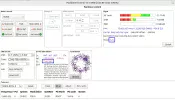
  • 6909x_12606 V_streams 4,5_2025-02-04_09-47.webp
    6909x_12606 V_streams 4,5_2025-02-04_09-47.webp
    74.3 KB · Views: 22
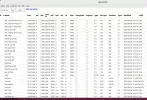
  • 12606 V-stream 4 & 5_2025-02-04_10-22.webp
    12606 V-stream 4 & 5_2025-02-04_10-22.webp
    47.4 KB · Views: 11
  • 6909x_12605 V_Mux_multi 5_2025-02-03_21-02.webp
    6909x_12605 V_Mux_multi 5_2025-02-03_21-02.webp
    166.4 KB · Views: 12
  • tbs6909x_12606 V-, multi 4-locked_2025-02-03_19-19.webp
    tbs6909x_12606 V-, multi 4-locked_2025-02-03_19-19.webp
    111.6 KB · Views: 15
  • tbs6909x_5.0W_12500-12750 HV_locked_2025-02-04_11-20.webp
    tbs6909x_5.0W_12500-12750 HV_locked_2025-02-04_11-20.webp
    86 KB · Views: 14
  • tbs6909x_5.0W_11450-11500 H_locked_2025-02-04_12-22.webp
    tbs6909x_5.0W_11450-11500 H_locked_2025-02-04_12-22.webp
    87.2 KB · Views: 22
The 6909x card running DAB+ Rai with neumoDVB on Ubuntu 24.04:
 

Attachments

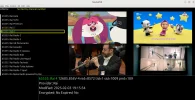
  • tbs6909x_DAB+ Rai with neumoDVB_2025-02-04_16-48.webp
    tbs6909x_DAB+ Rai with neumoDVB_2025-02-04_16-48.webp
    122.9 KB · Views: 20
I am trying to understand. If the crash occurs when using a mux that works , how are you going to reproduce the problem ?
Anyway i am debugging scan-s2 so i can give you more details about the conditions under which the problem occurs.
I know the conditions now: it uses section filters which few other programs do and it only opens the demux
after detecting a lock. Your mux does not lock for me (unknown satellitem different diseqc settings etc) so
it also does not crash.

There is also another bug which causes a crash in some cases depending on the order in which programs are run.
That one is simple to fix. The section filter needs some more work.

I will fix them when I have the time.
 
Because I had problems with neumoDVB after I updated the last driver to scan 12606 V at 5.0W and not being able to fix it, I decided to reinstall everything from scratch. Moreover, I reinstalled Ubuntu 24.04 as well.
Fortunately, after installing this version, this time with the 6.8.0-41-generic kernel, installing the drivers and neumoDVB went smoothly, without any problems. Of course, I was careful with every software or patch I installed, which helped me, I think, to be able to install the drivers and app in one go.
On the first attempt to lock and scan the 12606 V, although I could see the signal on the bar, it didn't give the expected result. I thought of making the modification in the stid135.conf file in modprobe.d, as @deeptho recommended for stream 5 of this mux. But I couldn't find this file. That's why I created it and inserted the code for modprobe.
After that, I scan again both streams 4 and 5 on 12606 V, and bingo, I see for the first time that service packet on stream 4, and on stream 5, I only see question marks. I checked the muxes list, and both streams were scanned and saved, and TV/Radio programs were listed under Services. But more importantly, the PLP stream was extracted and the services can be seen.
To see the TV programs on the T5(PLP) stream, I had to update TSDuck, and then I could see them.
Apparently, both streams were scanned at the same time and access to services came bundled. That's probably why the question marks appeared when I manually scanned stream 5(?).

I have to add that probably due to a weaker signal, my area being outside the Transalpine beam, to scan all PLS PLP transponders at 5.0W, I had to scan them manually. It locked them all, but as with other positions with complex parameters, I armed myself with patience. This was the only way I could watch TV/Radio programs.

I have to admit that the procedure to extract stream 5 using the method described above escapes me. I'm not sure if it's intended for more advanced Linux-ists, but for me, it's yet another subtlety that I need to discover.
I managed to see the two stream files in /tmp but without content. So I need to know how to activate neumo tools for the neumo-tune and neumo-dmx commands.
A tip is welcome. Thanks.

It is important that I finally managed with the 6909x card to scan, lock, and run the Italian and French MIS services, even if I took a detour longer than I should have.

Also, the 6909x card locked the low symbol rate radio transponders with Blindscan All, except 11465 H, which I was able to lock manually.

I'm not saying anything new, but for those advanced in Linux, the way the driver for the demod stid135 was designed is a field of capitalizing on the potential that the tbs69093/6909x cards have. @deeptho has put a rich seed in ..steroids.:)
Satesco,
good to hear that your problems are fixed. The explanation is for the experts. It also shows that the SNR is more than enough at your location (not for some of the French muxes which have a more difficult FEC as Crazycat pointed out).

I can also confirm that FBC tuners like stid135 require 0.5-1 dB more SNR than cards with an analog tuner.
 
I know the conditions now: it uses section filters which few other programs do and it only opens the demux
after detecting a lock. Your mux does not lock for me (unknown satellitem different diseqc settings etc) so
it also does not crash.
I was assuming you will use a valid transponder( on the satellite that your dish points to) on the command line . My mistake.
Ok thank you for the info!
I will wait for the patches.
Thanks again.
@deeptho
 
@deeptho,

And yet, what is the command to activate neumo-tool (neumo-tune and neumo-dmx), like this one:

- neumo-tune -ctune -A blind -a 8 -r 1 -U3 -f 12606000 -pV --pls-code=ROOT+16416 --stream-id=4 -b &amp; or
- neumo-dmx -a 8 -d 0 --pid 0x2000 -b --bbframes-isi=4 &gt; /tmp/stream4.ts &amp;
Thanks.
 
@satesco
I don't think there is such a tool. Why do you think there is one ?
 
At #350, on this topic, it is mentioned the neumo-tune and neumo-dmx commands to extract the two streams, which look like this:

neumo-tune -ctune -A blind -A -a -a 8 -a 8 -r 1 -U3 -f 12606000 -pV --pls-code=ROOT+16416 --stream-id=4 -b &amp; &amp;
neumo-dmx -a 8 -d 0 --pid 0x2000 -b --bbframes-isi=4 &gt; /tmp/stream4.ts &amp; &amp;
neumo-dmx -a 8 -d 0 --pid 0x2000 -b --bbframes-isi=5 &gt; /tmp/stream5.ts &amp;

I would have liked to make use of these commands but got nowhere.

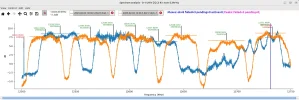
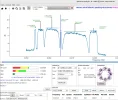
On the other hand, I would like you to tell me how you got the stid135-blinds can spectrum.
Thanks.
 
Last edited:
@satesco
by tools he means all the apps ( neumo-tune , neumo-dmx , stid135-blindscan etc)
did you try the procedure that he mentioned ( in the specific satellite ,frequency) and it didn't work ?
BTW there is no automatic way to run this thing right now. You have to follow the commands and then
using a media player to watch the result file. I don't know if it works on neumodvb automatically , but i don't think so.

---
I didn't see the second question so i have edited the post.

Did you try using
stid135-blindscan -cblindscan -a 0 1 2 3 4 5 6 7 -U8 --rf-in=2 -pV
on a 6909x card? assuming you are passing the correct adapter numbers in the program?
After running it successfully it will create some files in /tmp. By using
python3 ./src/plotspec.py
from inside blindscanner's source code directory you will be able to see the graphs.
 
Last edited:
Back
Top